Mastering Your Government Gateway Account: The Complete 2026 Guide to HMRC Logins, Registration, and the New GOV.UK One Login Transition

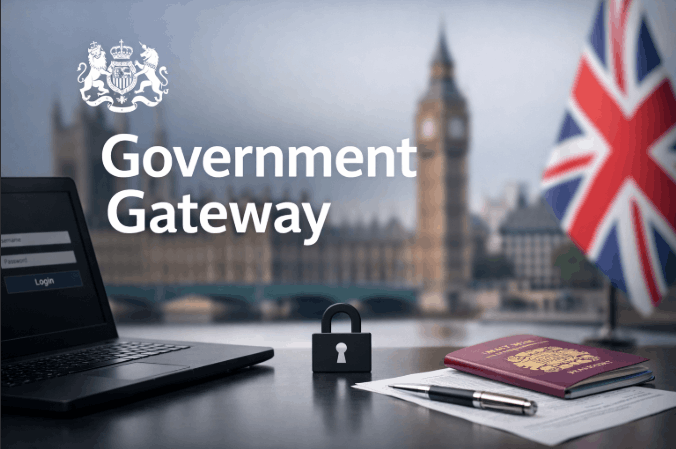
Millions of UK taxpayers and businesses use it every day, yet most could not explain exactly what it is or what is changing. The Government Gateway is the secure online login system used by individuals and businesses to access HMRC’s digital tax services in the UK.
It issues a unique 12-digit user ID and password, providing access to Self Assessment, VAT, PAYE, and Corporation Tax under one set of credentials. As of 9 February 2026, new HMRC users are directed to GOV.UK One Login instead.
Key Takeaways
- Government Gateway remains fully operational for all existing users as of June 2026, no action is required until HMRC contacts account holders directly to arrange migration.
- From 9 February 2026, new HMRC users are directed to GOV.UK One Login rather than Government Gateway, following the public beta go-live confirmed by the Government Digital Service.
- A Government Gateway account issues a unique 12-digit user ID, distinct from the 10-digit Unique Taxpayer Reference, giving access to Self Assessment, VAT, PAYE, Corporation Tax, and other HMRC services.
What Is the Government Gateway?
The Government Gateway is HMRC’s secure login system for accessing UK government tax services online, a single set of credentials covering every HMRC digital service a taxpayer or business needs.
It launched on 25 January 2001, built by the Office of the e-Envoy to replace paper-based tax submissions and bring government services into the digital age.
At its core, the system works through a 12-digit user ID paired with a password and two-step verification. That user ID is issued at registration and does not change, it is the permanent key to every HMRC online service the account holder enrols for.
One set of credentials covers VAT, Self Assessment, Corporation Tax, PAYE, and more, removing the need for separate logins across different tax obligations.
The Government Digital Service has described Government Gateway as one of the largest and most-used digital authentication systems in UK government.
Over two decades, millions of taxpayers, businesses, and tax agents came to rely on it as the standard route into HMRC’s digital infrastructure. It remains that route for all existing users today, even as the phased transition to GOV.UK One Login progresses.
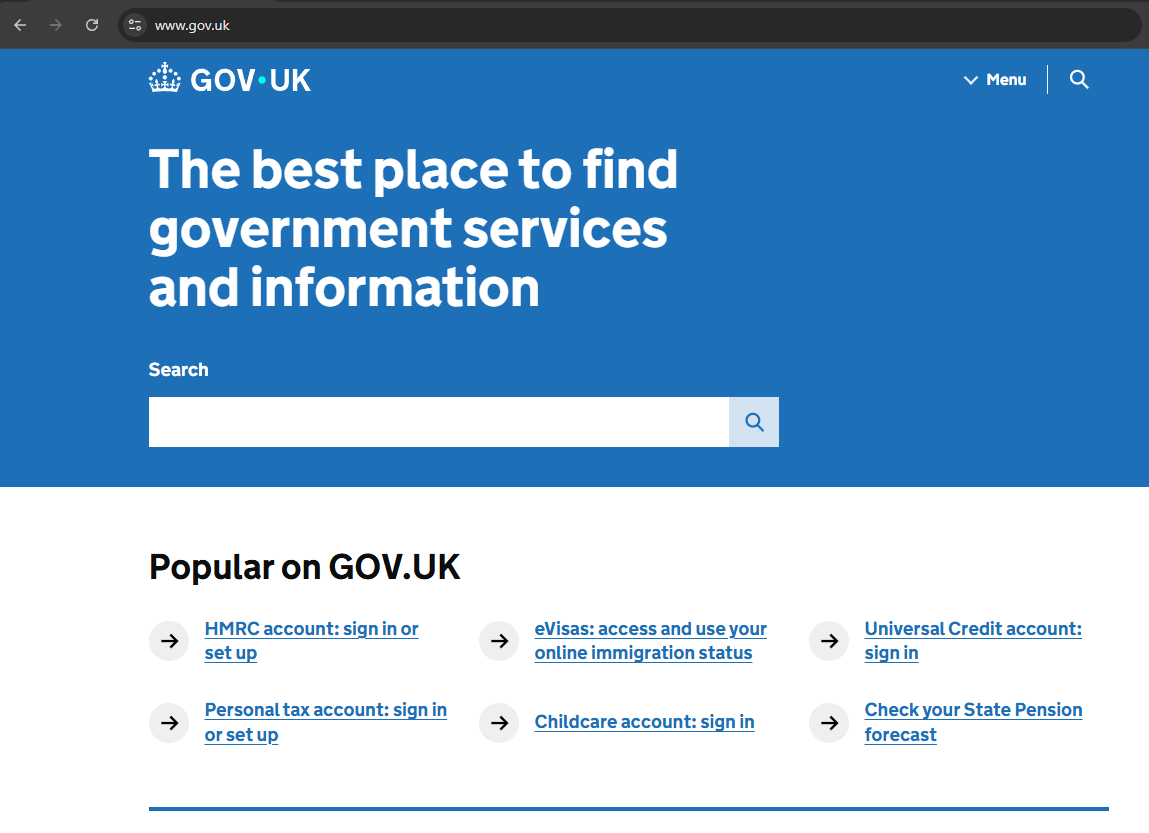
What Can You Access Through Government Gateway?
A single Government Gateway account provides access to the full range of HMRC online services, covering personal tax, business tax, and specialist compliance obligations from one secure portal.
The core services accessible through Government Gateway include:
- Self Assessment: File an online tax return, view tax calculations, and make payments
- VAT: Submit VAT returns, manage VAT registration, and access VAT records. Businesses that are VAT-registered can also carry out a VAT number check by company name to verify supplier details
- PAYE for Employers: Register as an employer, submit payroll information, and manage employee tax codes. Employers using PAYE also need to comply with employment law obligations, including rules on how many hours between shifts their staff are entitled to
- Corporation Tax: Submit returns and manage payments for limited companies
- Construction Industry Scheme (CIS): Verify subcontractors and file monthly returns
- Personal Tax Account: View Income Tax records, National Insurance contributions, and tax code information
- Business Tax Account: Manage multiple taxes from one business dashboard
- Customs Declaration Service: Manage import and export declarations
- Pension Schemes Online: Manage registered pension schemes
- Gift Aid: Submit Gift Aid declarations for charities
GOV.UK holds the full, up-to-date list of enrollable services. The personal tax account and business tax account function as dashboards within the Gateway, aggregating whichever individual services the account holder has enrolled for.
The Three Types of Government Gateway Account
Not every user needs the same type of Government Gateway account. Three account types exist, and choosing the wrong one at registration creates access problems that require HMRC to resolve manually.
Individual and Organisation Accounts
An individual account is for personal tax matters, Self Assessment, the personal tax account, and National Insurance records. Most employed individuals who need to file a tax return will use this type.
An organisation account is for businesses managing VAT, PAYE, Corporation Tax, or CIS. Limited company directors typically need an organisation account to handle their company’s tax obligations, and many also hold a separate individual account for their personal Self Assessment.
The two accounts operate independently under different sets of credentials.
Agent Accounts and the Credential-Sharing Warning
A third account type, the agent account, exists specifically for accountants and tax agents acting on behalf of clients. Agent access is where most confusion and most mistakes arise.
HMRC explicitly states that Government Gateway credentials must never be shared with an accountant or tax agent. Sharing login details is not only unnecessary, but it is a security risk and contrary to HMRC’s own guidance.
The correct mechanism is entirely separate: an accountant accesses client tax records through a dedicated HMRC Agent Services account, which operates independently of the client’s own Gateway credentials.
The process runs entirely through official HMRC channels. The agent sends a digital authorisation request through their Agent Services account. HMRC then posts an authorisation code to the client’s registered address.
The client logs into their own Gateway account and enters that code to grant the agent access. At no point does the agent require, or have any legitimate reason to request, the client’s personal user ID or password.
The practical implication is direct. Any accountant asking for a client’s Government Gateway login details is not following the process HMRC has established. Clients should decline and direct their accountant to the agent authorisation route instead.

How to Register for a Government Gateway Account?
Registration takes approximately five minutes online and issues a 12-digit user ID immediately upon completion. The process is free and requires no specialist knowledge, only a valid email address and basic identity information.
The registration process runs as follows:
- Go to GOV.UK: Navigate to the HMRC online services sign-in page at gov.uk/log-in-register-hmrc-online-services
- Click Create sign-in details: This begins the registration process for a new account
- Enter a valid email address: Use an address checked regularly; HMRC will send a confirmation code to it immediately
- Confirm the email address: Enter the code sent to the inbox to verify ownership
- Complete identity verification: Provide a National Insurance number or UK address, supported by a recent payslip, P60, or valid UK passport
- Receive and save the 12-digit user ID: HMRC issues this at the point of registration; print the confirmation page or take a screenshot immediately
Two distinctions are worth noting before moving further. The Government Gateway user ID is a 12-digit login credential, it is not the same as a Unique Taxpayer Reference (UTR), which is a 10-digit number identifying a person or business for tax purposes.
Receiving a user ID does not automatically enrol an account for any specific tax service. Enrolling for VAT, Corporation Tax, or PAYE as a separate step triggers a further process: HMRC posts an activation code to the registered address, which must be entered within 28 days to activate that service.
Allow up to seven working days for the code to arrive. Registering for a Government Gateway account takes approximately five minutes at GOV.UK and issues a 12-digit user ID immediately.
Adding individual tax services, such as VAT or Corporation Tax, requires a separate enrolment step, with an activation code sent by post. Allow up to seven working days for each code to arrive.
How to Log In and What to Do If You Lose Your User ID?
Logging in to Government Gateway requires three things: the 12-digit user ID, the account password, and a two-step verification code delivered by text message or authenticator app.
All three are required every time, there is no option to bypass two-step verification on a standard account.
To log in, visit the HMRC online services page at GOV.UK, enter the user ID and password, then enter the verification code when prompted. With credentials ready, the whole process takes under a minute.
A lost user ID can be traced through three routes:
- Search the original inbox for the HMRC welcome email sent at registration. The user ID appears in that message
- Visit GOV.UK and use the “Problems signing in” page, select “Recover your user ID” and verify identity using the registered email address
- If neither method works, call the HMRC online services helpline, have the National Insurance number, UTR, and registered address ready; call waiting times can reach 45 minutes during peak periods
Two lockout rules catch many users off guard. Entering the wrong user ID or password five consecutive times locks the account for two hours, waiting is the only resolution.
Activation codes for enrolled tax services expire after 28 days; if the code was not entered in time, a new one must be requested through the HMRC online services page.

Is Government Gateway Being Replaced? The GOV.UK One Login Transition Explained
Government Gateway is being phased out, but existing account holders are not affected yet, and no action is required until HMRC makes contact directly.
The transition is managed by the Government Digital Service in partnership with HMRC, backed by £305 million of government investment in GOV.UK One Login as a unified authentication platform for all UK government services.
The go-live date for new HMRC users was 9 February 2026, confirmed in the GDS blog by Lucy Leonard, HMRC Onboarding Team Lead, on 28 April 2026.
Since that date, a proportion of users accessing HMRC services for the first time have been directed to create GOV.UK One Login credentials rather than a Government Gateway account.
The rollout to new users will expand progressively over the coming months until GOV.UK One Login becomes the standard entry point for all first-time HMRC users.
Companies House completed its own migration to GOV.UK One Login in October 2025. Other services, including Universal Credit, student finance, and driving licence renewals, were migrated earlier. HMRC’s transition is the largest and most complex remaining migration, given the scale of its user base.
Existing Government Gateway account holders are unaffected for now: accounts remain fully operational, all enrolled tax services continue to function, and HMRC will initiate contact when a specific account holder’s migration is scheduled.
The full retirement of Government Gateway is targeted before the end of the decade, though HMRC has not confirmed a precise closure date.
GOV.UK One Login is replacing Government Gateway in stages. Existing HMRC account holders keep their Government Gateway credentials until HMRC contacts them individually to migrate.
New users registering for HMRC services from 9 February 2026 are directed to GOV.UK One Login by default. No existing account holder needs to take any action unprompted.
Widely circulated claim: Government Gateway has already been replaced and is no longer operational.
Correct position: Government Gateway remains fully active for all existing users as of June 2026. The replacement is a phased migration, only new HMRC users (from 9 February 2026) are directed to GOV.UK One Login.
No existing account has been migrated without direct contact from HMRC. Multiple competitor articles describing Gateway as “replaced” are factually inaccurate.
Source: GOV.UK official guidance; GDS blog, 28 April 2026 (Lucy Leonard, HMRC Onboarding Team Lead, Government Digital Service). Transition dates, account guidance, and operational status verified against GOV.UK and the GDS blog as of June 2026.

Government Gateway vs GOV.UK One Login: Key Differences
The two systems serve the same purpose, secure access to HMRC services, but operate differently. The distinction determines which system a reader will encounter, depending on when they first register with HMRC.
| Feature | Government Gateway | GOV.UK One Login |
|---|---|---|
| Login credential | 12-digit user ID + password | Email address + password |
| Two-factor authentication | Optional (text or authenticator app) | Mandatory by default |
| Identity verification | At enrolment per service | Built-in at account creation |
| Who uses it now | All existing HMRC account holders | New HMRC users from 9 February 2026 |
| HMRC services covered | Full range, all tax services | Expanding, full coverage planned |
| Current status | Fully operational | Active, rolling out to new users |
| Action required | None until HMRC contacts you | Register here if you are a new user |
In practice, the distinction comes down to when a user first registered with HMRC. Anyone who already has a Government Gateway account continues using it unchanged.
Anyone registering with HMRC for the first time from February 2026 onwards will be directed to GOV.UK One Login instead. The destination, full access to HMRC’s tax services, is the same either way.
Conclusion
Government Gateway remains the operational backbone of HMRC’s online tax system for millions of existing users, and will continue to do so until HMRC initiates each account holder’s individual migration.
The 2026 transition to GOV.UK One Login is real, but it is gradual and managed. No existing account holder needs to act without a direct prompt from HMRC. Government Gateway means uninterrupted access to every HMRC digital tax service for existing UK taxpayers and businesses in 2026.
FAQ
Is Government Gateway being replaced?
Yes, but gradually. Government Gateway is being phased out in favour of GOV.UK One Login. Existing accounts remain fully operational until HMRC contacts each account holder to arrange migration.
Can I still create a Government Gateway account?
New users registering with HMRC from 9 February 2026 are directed to GOV.UK One Login rather than Government Gateway. Existing account holders retain their Government Gateway credentials and continue using them as normal.
Do I need a Government Gateway account for Self Assessment?
Existing Self Assessment users access HMRC’s service through their Government Gateway account as before. New users registering for Self Assessment from February 2026 may be directed to GOV.UK One Login to create their sign-in credentials instead.
What is the difference between Government Gateway and GOV.UK One Login?
Government Gateway uses a 12-digit user ID; GOV.UK One Login uses an email address with mandatory two-factor authentication. Both provide access to HMRC services, the difference is which system a user was registered on.
What happens to my Government Gateway account when One Login takes over?
HMRC will contact existing Government Gateway account holders directly when their migration to GOV.UK One Login is scheduled. No account is migrated without prior contact from HMRC, no action is needed now.
How long does it take to register for Government Gateway?
Registration takes approximately five minutes online. A 12-digit user ID is issued immediately. Adding specific tax services such as VAT or Corporation Tax requires a further activation code sent by post, allow up to seven working days.
What is a Government Gateway user ID?
A Government Gateway user ID is the unique 12-digit number HMRC issues at registration. It is the login credential for all HMRC online services, distinct from a 10-digit Unique Taxpayer Reference, which identifies a taxpayer rather than an account.
Disclaimer: The information provided in this article is for general informational purposes only and does not constitute official legal, financial, or professional tax advice; readers should consult HMRC or a qualified professional for specific guidance regarding their accounts.